DayZ Cheats for PC
DayZ cheats for PC with aimbot, player ESP, wallhack, loot ESP, infected ESP, vehicle ESP, and saved configs.
At a glance
Key capabilities
What Elite focuses on before you open the full module list.
Plus 47 additional modules in the operator portal—see the full list below.
Overview
DayZ cheats for PC: aimbot, ESP, wallhack, and loot ESP
How this build fits ranked, Zero Build, and patch-day workflows.
Buy DayZ cheats with aimbot, player ESP, wallhack, loot ESP, infected ESP, vehicle ESP, and player tracking in one menu for Windows PC.
Delivery is instant through our secure checkout partner. Monthly and lifetime plans include compatibility updates after major DayZ changes for active subscribers.
DayZ cheats for PC cover aimbot, player ESP, wallhack, loot ESP, infected and animal markers, vehicle ESP, and saved configs on Windows 10 and 11.
DayZ Cheat Features
The menu groups aimbot, player ESP, infected ESP, world ESP, item ESP, battle mode, miscellaneous options, and config save/load. Enable only the modules you want.
DayZ Aimbot
Toggle aimbot, set a customizable FOV and aim distance, ignore players, infected, or animals, and pick a bone: nearest, head, neck, or pelvis. FOV style and the line to target can be solid or gradient.
DayZ ESP and Wallhack
Player ESP includes friends, a corner or full box, filled box in solid or gradient, head dot, skeleton, health bar, name, distance, inventory, item in hands, traces, and a max distance. Infected ESP is a separate module.
DayZ Loot ESP
Item ESP shows item quality as text or a bar. Show markers only when hovering, or use battle mode when you want a cleaner fight.
DayZ Radar and Player Tracking
Track players with name, distance, and traces. World ESP adds animal ESP with health as text or a bar, vehicle ESP, and helicrash markers.
DayZ Cheat for PC
Windows 10 and 11 are both supported on Intel and AMD PCs. Leave HVCI, Core Isolation, TPM, and Secure Boot ON. The menu language can be English or Chinese, and configs can be saved and loaded.
Modules
What's included
Every module and overlay shipped with Elite—toggle and tune in the operator portal.
- Toggle Aimbot
- Customizable FOV
- Customizable Aim Distance
- Ignore Players
- Ignore Infected
- Ignore Animals
- Bone: Nearest
- Bone: Head
- Bone: Neck
- Bone: Pelvis
- FOV Style: Solid
- FOV Style: Gradient
- Line to Target: Solid
- Line to Target: Gradient
- Player ESP
- Friends
- Box: Corner
- Box: Box
- Filled Box: Solid
- Filled Box: Gradient
- Head Dot
- Skeleton
- Health Bar
- Name
- Distance
- Inventory
- Item in Hands
- Traces
- Max Distance
- Infected ESP
- World ESP
- Animal ESP
- Animal Health: Text
- Animal Health: Bar
- Vehicle ESP
- Helicrash
- Item ESP
- Item Quality
- Quality Style: Text
- Quality Style: Bar
- Battle Mode
- Show Only When Hovering
- No Clip
- Always Day
- Local Position
- Thirdperson Unlock
- No Grass
- Crosshair
- Limit FPS
- Menu Language: English
- Menu Language: Chinese
- Save Config
- Load Config
Experience
In the client · After you buy
Use the screenshots above for Elite—below is what each layer means and how access works after checkout.
In-game layers
- Layer A
World overview
Read the landscape before you move into a camp or treeline.
- Layer B
Towns and cities
World ESP and player tracking for dense urban areas.
Guides
Learn more about Elite
Curated articles for setup, tuning, and patch-day checks that match this product.
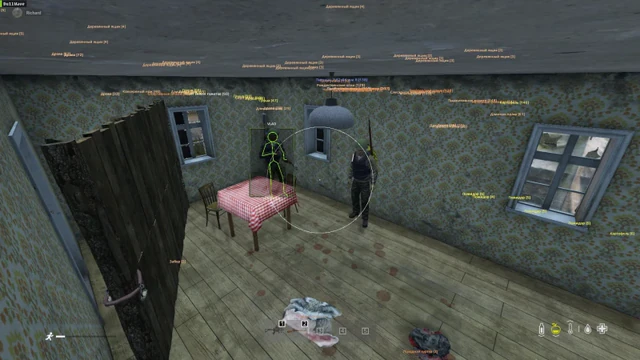
Boxes, skeleton, health, name, distance, inventory, and traces for DayZ player ESP.
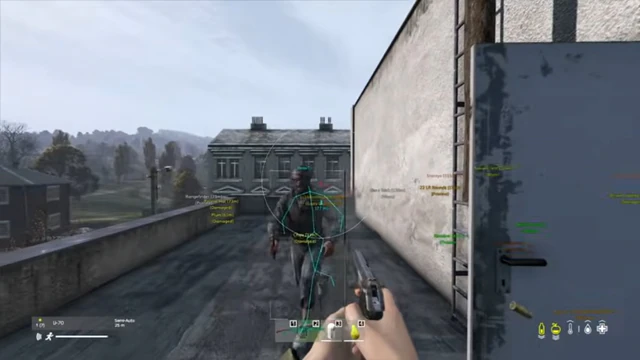
FOV, aim distance, bones, and ignore filters for the DayZ aimbot.
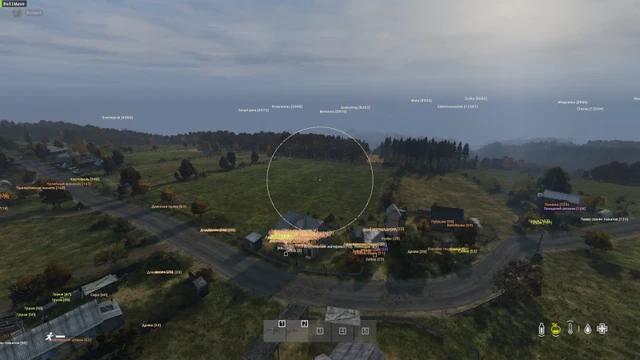
Name, distance, and traces for tracking players across the DayZ map.
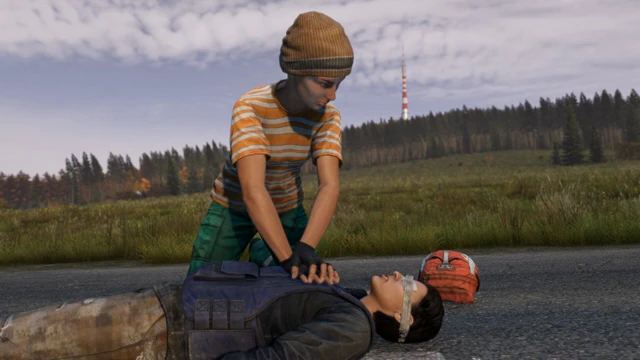
Item ESP, item quality, and text or bar quality styles for loot runs.
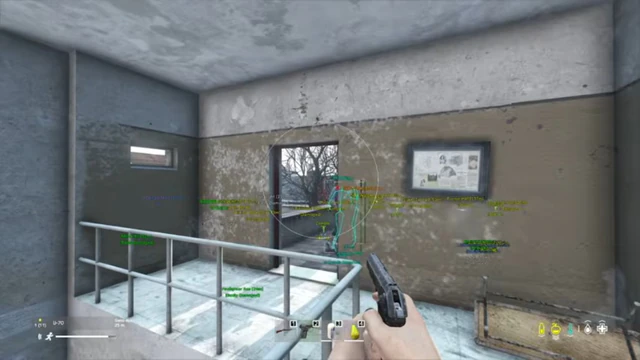
Infected ESP, animal health, vehicle ESP, and helicrash markers.
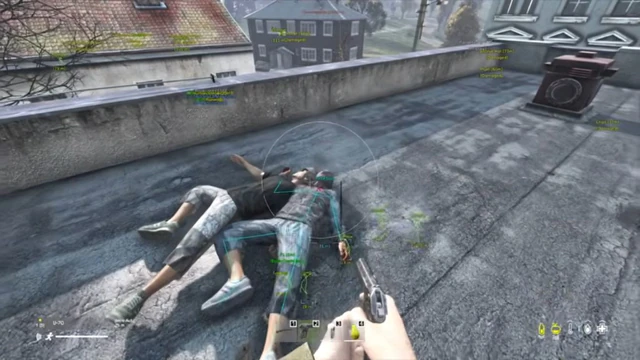
Checkout, monthly vs lifetime, system requirements, and support after purchase.
Cheat FAQ
DayZ Cheats FAQ
Answers on the current build, requirements, overlay, plans, and support.